Dashboard
The RDMS Web interface provides a Dashboard that allows you to quickly check the status of your RDMS Home directory or another folder that you can access. You can use the Dashboard to check the quota usage of your RDMS Home directory and Team Drives. It displays both the amount of storage space in use and the number of files. To access the Dashboard, click its icon in the menu bar on the left. By default, the RDMS displays information about the iRODS zone in which you are working.
Note: The Dashboard is still under development. More statistics and information may become available in future updates.
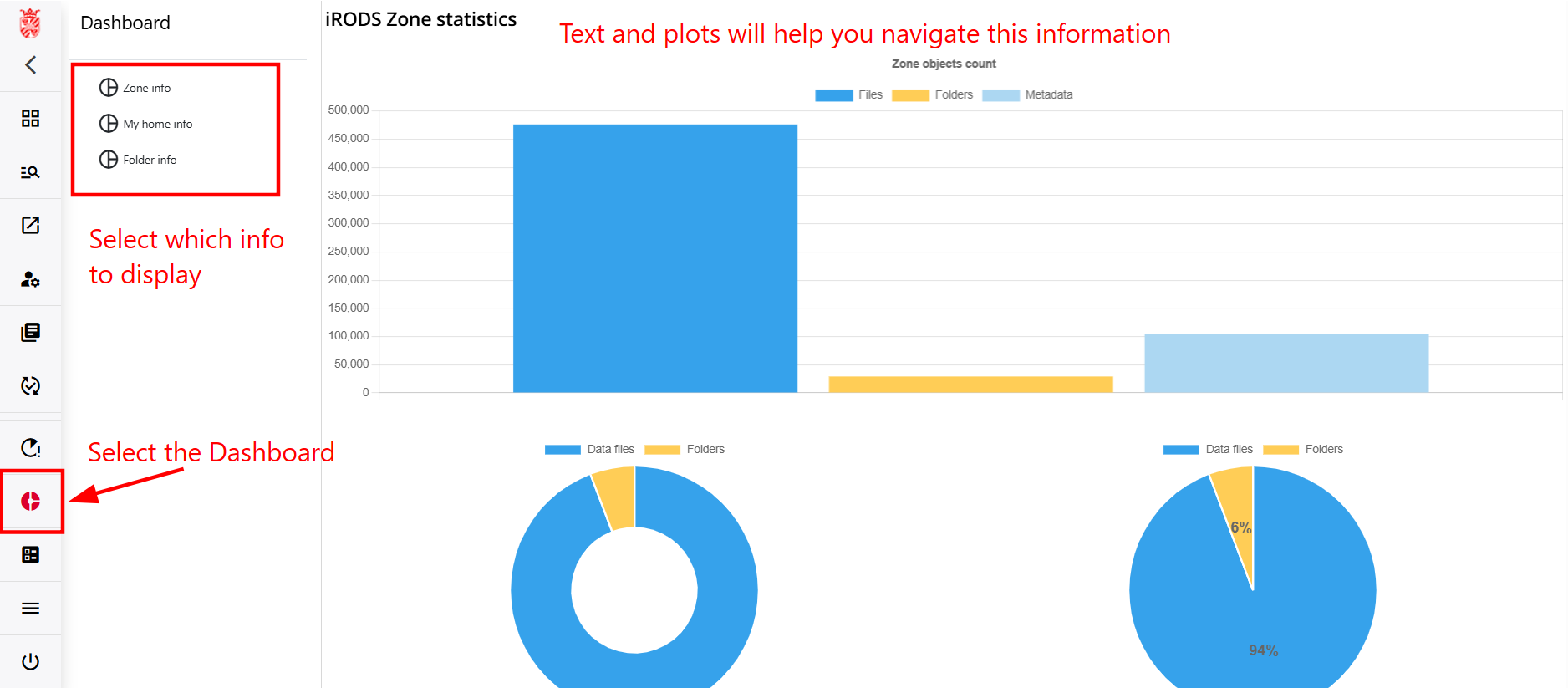
To check the quota usage of your RDMS Home directory, select "My home info" from the context menu. The text at the top of the Dashboard shows the location from which the information is retrieved. In this example, the location is your RDMS Home directory. Under "Quotas", you can view the quota usage as both an absolute value and a percentage.

To check the quota usage of a Team Drive that you can access, select "Folder info". Then copy and paste the path of the Team Drive into the field highlighted in blue. Under "Quotas", you can view the quota usage as both an absolute value and a percentage.
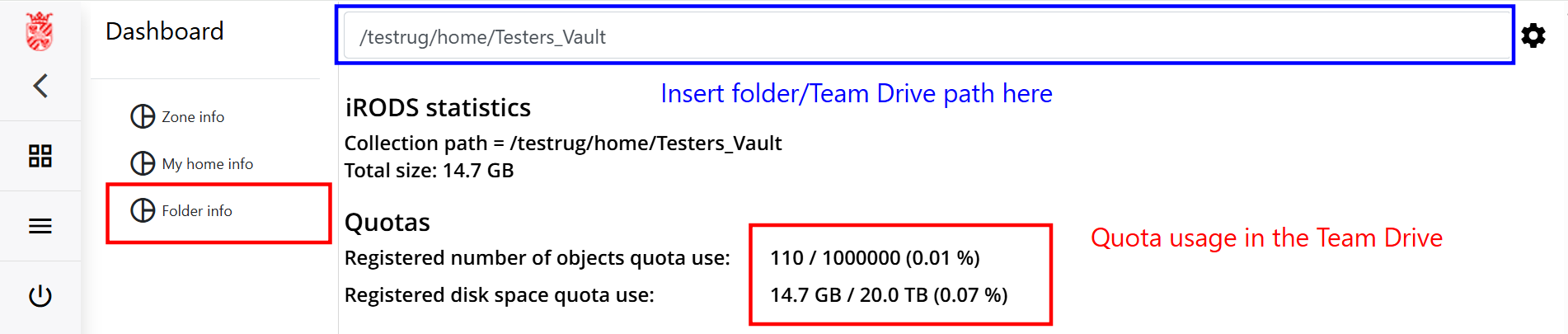
Note: The total size shown under "iRODS statistics" may differ from the value shown under "Quotas" because the RDMS calculates these values differently. The value under "Quotas" determines whether you have enough available space to upload more files.