This is an old revision of the document!
Uploading Data
N.B. Only researchers with the role of Researcher+ or Data Manager can upload data to the VRE.
There are two ways to upload data to the VRE. We recommend to use the first method for files no larger then 1GB.
With the Explorer in the VRE
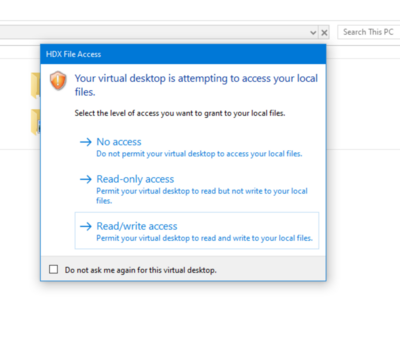
All VRE users with the role of Researcher+ and data Manager can use this method. We recommend this method for incidental uploading and small files to about 1GB. The method via SFTP can be used for frequently uploading and for uploading large files. The first is method via de desktop of your VDI. Log in to the VRE and open de Windows explorer. You will be asked if the VDI may have the right to access your local PC.
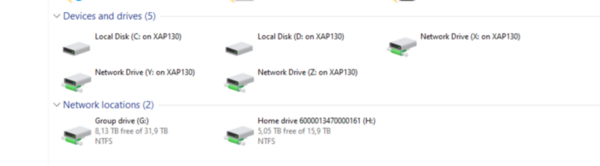
After you allowed the VDI to access your local PC the Explorer will show you the -depending on your local configuration- the drives on your local PC and the home drive (H:) and group drive (G:) of the VRE.
Via SFTP
Large files and datasets or more structural uploading -for instance weekly- to the VRE can be done via SFTP. For this purpose we will create accounts on an intermediary data server where you can upload your data to and then download that data to the VRE.
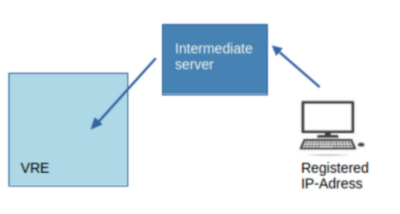
This server acts as an intermediary via the SFTP protocol that checks the integrity of the data after upload. And via this intermediary server we can scan the data for viruses and keep track of the uploads and downloads to our secure environment of the VRE. If we can help you with such an upload server, please contact the dcc@rug.nl
We will create two special accounts for this purpose. One account from which you can upload data to the intermediate SFTP server. And one account to download data to your VRE from the intermediate server. The upload account will be restricted to a specific IP-address to be able to monitor the origin of the upload.
The information you need to start an upload and the download is the name of the host and the port number, and the specific upload or download account.
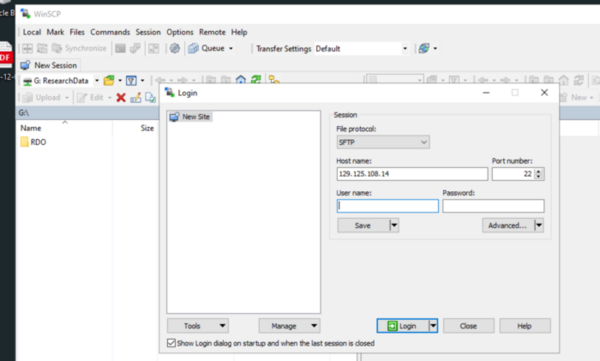
There are many applications you could use for this data transfer. In this manual we provide you with a screenshot of WinSCP. WinSCP is an open source file transfer application that has clients for most operating systems. It is also installed on the University Desktop and the VRE, but any other file transfer client that can transfer files via SFTP can be used.
The name of the host is 129.125.108.14, the port number is the default 22. After you uploaded the data to the server, you can download the data to the VRE in the same manner with the same IP-adress and port number, but with the provided download account.