This is an old revision of the document!
Whisper within the VRE
Some data needs extra protection because of the content of the data itself or because of the source of the data, like for instance data from children or other sensitive groups. Working with sensitive data can be done securely within the VRE because of the extra security measures in the VRE environment.
The transcription application Whisper is installed within the secure environment of VRE. All computations to make the transcription is contained within the extra secure environment of the VRE.
Whisper in the current set-up
Currently Whisper is installed as a command line application. We are working on creating a more user friendly interface, but for now you need to create a command-line for Whisper with the source file, the model Whisper needs to use and the output folder. The current version is able to run one file at the time and no spaces are allowed in the command.
Prepare the environment
Make sure that de source file that you want to transcribe is in your home drive H: and not in a sub folder. This is because spaces are not allowed in the command line. Open Notepad or a text editor and create the command line so you can easily paste the whole command with all the components (source file, model and output folder) in the command line of Whisper.
The general structure of the command is: whisper [source file] –[model to be used]–output_dir [directory for the output] The used model is always the language model at \hsr\aps\ServerBased\Whisper\LanguageModelfiles.
An example or the command:
whisper H:\opnameAIworkshop.mp3 –model_dir \hsr\aps\ServerBased\Whisper\LanguageModelfiles –output_dir H:\Whisper_output\
Make the transcription
Start Whisper
Open the Windows menu and type Whisper cmd. you will find Whisper - CMD

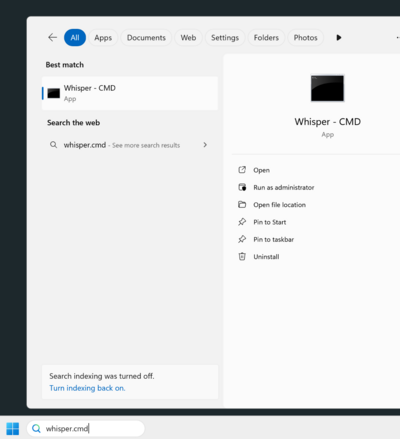
Open the application Whisper and a command line box wil open.
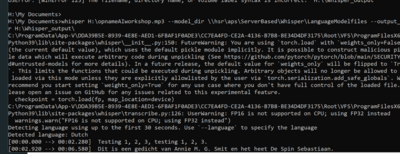
Paste the command you created in the text editor after the prompt and press ENTER.It will take a while for Whisper to start but after that and some output on a module the transcription will be shown on the screen.
That output will also be written to the output folder you defined.
Please refer to the manual of our DCC colleagues on running Whisper on HPC.